
Sage 50 Report of The Month – October 2022
Each month, Sage release new free, downloadable reports which you can put into Sage 50 to help get even more out of your system and data. Here’s a report for you to download and use for the month of October.
Report / Layout: Sales Order Profit (Detailed) by Customer
Area: Sales order reports and layouts
Example: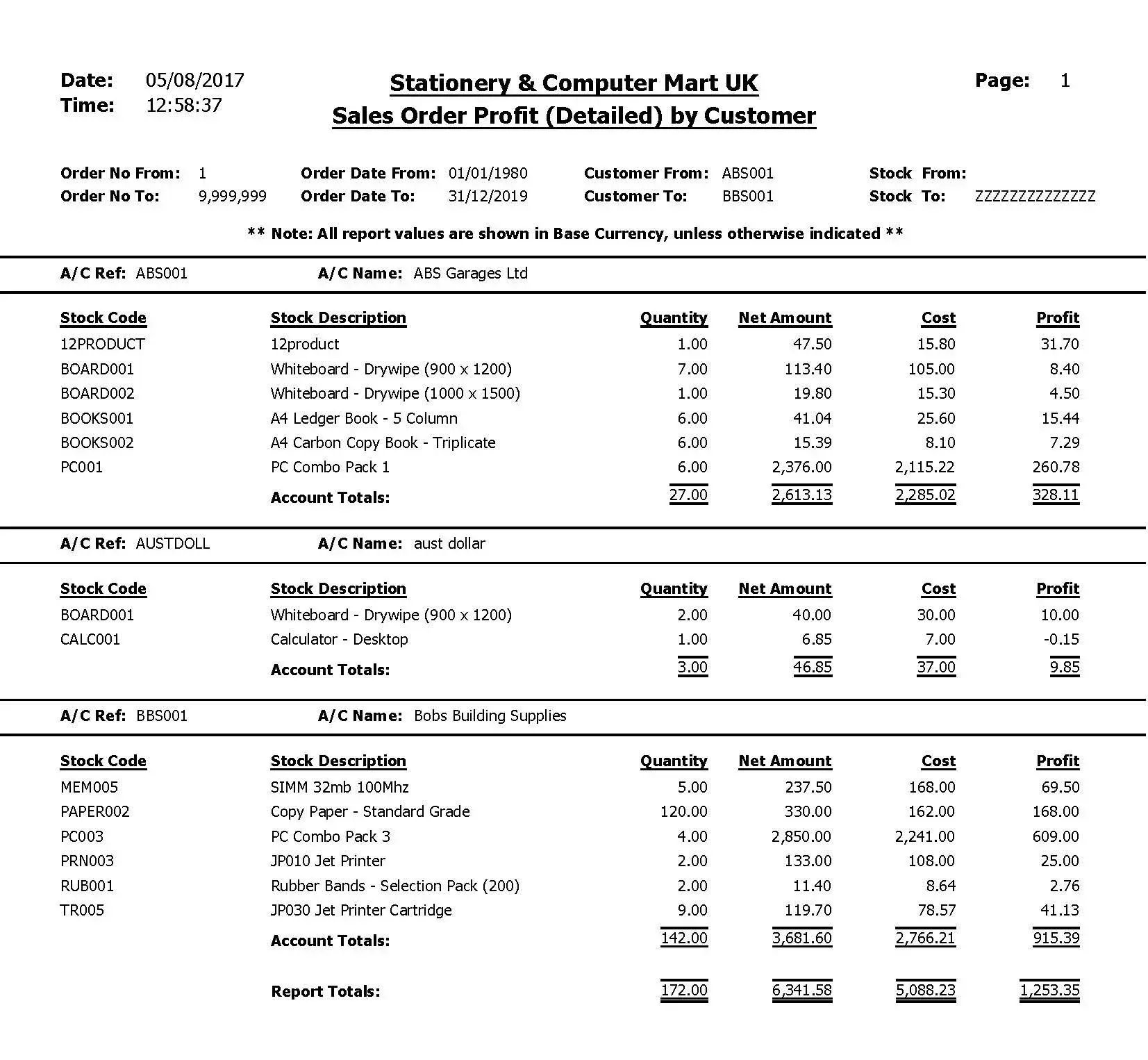
Download The Report >
This report is ideal for monitoring sales and helping to spot trends or any outliers that you should be aware of. You can set the date range, which means you can do monthly comparisons, or use larger date ranges to spot any annual trends that may occur, which could influence your sales and marketing.
The fields in this report are:
- Stock Code
- Stock Description
- Quantity
- Net Amount
- Cost
- Profit
- Account Totals
- Report Totals
The report can be downloaded as a ‘.report’ file and the steps to downloading and adding to your Sage 50 system can be found below.
Add The Report to Sage 50
For details regarding the full process of adding a new custom report to the menus within Sage 50, read our blog post on how to add a new report to Sage 50.
If you’re a HBP Group customer and need any help with adding the report to your Sage 50 system, our support team will gladly assist. To speak with a member of our support team, click here.
.png)

.png?width=100&name=HBP%20Gradient%20Bar%20(210mm).png)

 info@thehbpgroup.co.uk
 01482 423910


.png?width=2484&height=10&name=HBP%20Gradient%20Bar%20(210mm).png)