As the end of the calendar year approaches, many finance teams will also be preparing for their financial year-end.
If you've been using Sage 200 for several years, you'll probably be familiar with the process. However, year-end is one of those tasks where a little preparation can make a big difference.
From checking outstanding transactions and reconciling accounts to making sure your backups are in place, there are several things worth reviewing before closing your financial year.
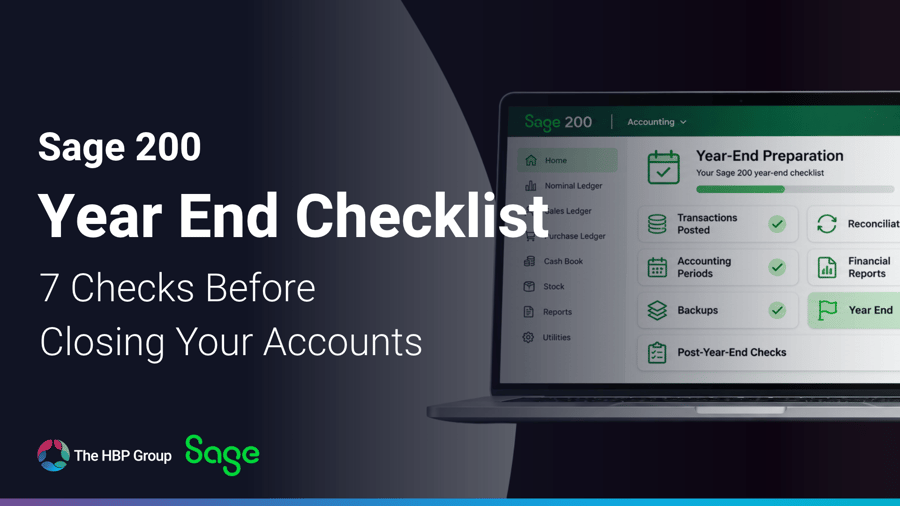
To help you prepare, we've put together seven important checks that could make your Sage 200 year-end process a little easier.
1. Make Sure All Your Transactions Have Been Posted
Before running your year-end, it's important to make sure all relevant transactions have been entered and posted to the correct accounting periods.
This includes checking for outstanding sales invoices, purchase invoices, credit notes and journals.
You should also review any transactions waiting to be posted to the Nominal Ledger, along with any adjustments provided by your accountant.
Our tip: Pay particular attention to accruals, prepayments and year-end journals. Making sure these are dealt with before closing the year can help reduce the need for corrections later.
2. Reconcile Your Accounts
Reconciliations are an important part of making sure your financial information is accurate before closing the year.
It's worth reviewing your bank reconciliations, along with your debtor and creditor control accounts, to identify any differences that need investigating.
If you use Sage 200's stock functionality, you should also consider reconciling your stock valuation against the relevant Nominal Ledger balances.
Our tip: Don't leave unexplained differences until after year-end. Investigating them beforehand is generally easier than trying to resolve them retrospectively.
3. Review Your Accounting Periods
Before completing year-end, it's worth checking that your accounting periods are in the correct state and that you've completed the necessary period-end routines.
Depending on how your business uses Sage 200, this may involve reviewing activity across the Sales Ledger, Purchase Ledger, Cash Book and Nominal Ledger.
You'll also want to make sure that any outstanding adjustments have been processed and that the relevant reports have been produced.
Our tip: Review the status of your accounting periods carefully before running year-end. Make sure your team understands which periods are still available for posting and which have already been closed.
4. Run and Review Your Financial Reports
Your year-end reports provide an important record of your financial position before moving into the next accounting year.
Before proceeding, make sure you've produced and reviewed the reports required by your accountant or auditor.
These will typically include:
- Final Trial Balance
- Profit and Loss
- Balance Sheet
- Aged Debtors and Aged Creditors
- Relevant transaction listings and audit reports
Depending on your business, there may be additional reports you need to retain.
Our tip: Don't just produce the reports and file them away. Take the opportunity to check for unexpected balances, unusual transactions or anything that might need further investigation.
5. Make Sure You've Taken a Backup
This is one of the most important steps in the entire year-end process.
Before running the routine, make sure you have a current, recoverable backup of your Sage 200 data.
The year-end process makes significant changes to your financial records, so having a reliable backup provides an important safeguard should anything go wrong.
Our tip: Don't assume that an automated backup has completed successfully. It's worth confirming that your backup arrangements are working as expected before proceeding.
If you're unsure about your backups, speak to your IT team or Sage support provider before running the routine.
6. Understand What Happens When You Run Year-End
Once all the necessary checks and preparations have been completed, you can run the year-end routine.
In Sage 200 Professional, this can be found under:
Nominal Ledger > Period End Routines > Year End
The routine prepares your financial records for the next accounting year.
As part of the process, Sage 200 transfers the year's profit or loss to the accumulated profit account, resets the relevant Profit and Loss balances and carries forward the appropriate Balance Sheet balances.
A report is also produced showing the Profit and Loss values transferred, which should be retained for your records.
Our tip: You don't necessarily need to run the routine on the final day of your financial year. Sage 200 allows you to process transactions dated in the new year before completing year-end, so it's worth agreeing the timing with your accountant.
7. Don't Forget the Checks After Year-End
Successfully completing the year-end routine isn't quite the end of the process.
There are a few final checks worth making before continuing with the new financial year.
These include:
- Reviewing the accounting periods for the new year.
- Taking another backup of your data.
- Running a new Trial Balance and checking brought-forward balances.
- Completing the appropriate Nominal Ledger maintenance or verification routines.
For Sage 200 Professional, Sage provides Nominal Ledger Account Maintenance and Verify Data routines to help manage historical transactions and brought-forward balances.
Our tip: It's worth reviewing the appropriate post-year-end procedures for your Sage 200 version and configuration to make sure everything is ready for the new financial year.
A Few Common Sage 200 Year-End Questions
Can I continue processing transactions in the new year before completing year-end?
Yes. Sage 200 supports processing transactions dated in a new financial year before the previous year's year-end routine has been completed, subject to the relevant period settings and posting rules.
This gives finance teams some flexibility when managing their year-end timetable.
Can I make adjustments after running year-end?
Yes, although the process is different.
In Sage 200 Professional, adjustments affecting the previous year's balances can be entered using the Previous Year Journal Entry routine.
However, it's generally best to complete as many necessary adjustments as possible before running year-end.
Do I need to run year-end in December?
Not necessarily.
Your financial year-end depends on your company's accounting period, which may not match the calendar year.
You should agree the appropriate timing for completing the process with your accountant.
Need a Hand With Your Sage 200 Year-End?
Even if you've completed the process plenty of times before, year-end can occasionally throw up an unexpected question or issue.
Whether you're unsure about an outstanding balance, need help with a reconciliation or simply want to check something before running the routine, our Sage 200 consultants are here to help.
At The HBP Group, we support businesses using Sage 200 and can provide guidance on the processes and functionality that keep your accounting system running smoothly.





 info@thehbpgroup.co.uk
 01482 423910