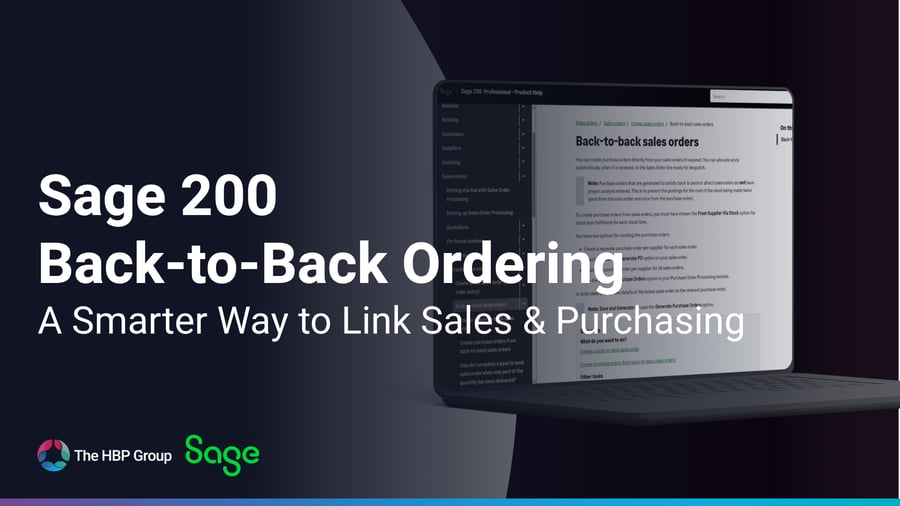
If your business regularly buys goods specifically to fulfil customer sales orders, there’s a good chance your sales and purchasing teams are handling the same information more than once.
A sales order is entered.
Someone then needs to identify what needs to be purchased.
A purchase order is raised separately.
The goods arrive.
And the team then needs to make sure they are allocated back to the right customer order.
That process works, but it can create unnecessary duplication.
Sage 200’s back-to-back order processing is designed to connect those two sides of the process more closely, allowing purchase orders to be generated from sales-order demand and keeping the supplier purchase linked to the relevant customer order. Sage itself recently highlighted the feature as a way to reduce manual entry and improve order fulfilment.
So if your team is still manually recreating purchase orders from sales orders, it may be worth checking whether this functionality could make the process more efficient.
What is back-to-back ordering in Sage 200?
Back-to-back ordering is used when you need to purchase goods from a supplier specifically to fulfil a sales order.
Rather than fulfilling that order from stock you already hold, the item can use the From Supplier Via Stock fulfilment method.
Sage 200 can then generate the corresponding purchase order. When the goods are received from the supplier, they are automatically allocated to the linked sales order, ready for despatch.
In simple terms:
Customer order creates the demand
↓
Sage 200 generates the supplier purchase requirement
↓
Goods are received
↓
Stock is automatically allocated back to the customer order
The aim is to reduce the amount of manual work sitting between the sales and purchasing processes.
Where could this save time?
Imagine a customer places an order for an item you don’t normally keep in stock.
Without a linked process, somebody may need to:
- identify that the item needs ordering;
- manually create the purchase order;
- copy across the quantity and supplier details;
- remember which customer order the goods relate to; and
- make sure the stock is allocated correctly once it arrives.
With back-to-back processing, the sales-order demand and purchase order stay linked.
That reduces duplicate entry and gives teams clearer visibility over why the goods are being purchased and which order they are intended to fulfil. Sage 200 also updates the relevant supplier and stock information to reflect outstanding orders.
For businesses handling a high volume of customer-specific purchases, those small efficiencies can add up quickly.
How are purchase orders generated?
Sage 200 gives you more than one way to handle this.
For back-to-back sales orders, you can create a purchase order directly from the sales order using Save and Generate PO. Alternatively, purchase requirements from multiple sales orders can be brought into the Generate Orders process and consolidated by supplier.
That gives businesses a choice between:
creating a separate purchase order for the individual sales order
or
combining requirements from several sales orders into purchase orders by supplier.
The right option will depend on how your purchasing team works and how much control they want over order generation.
What happens when the goods arrive?
This is one of the most useful parts of the process.
When stock ordered using the From Supplier Via Stock method is received through Purchase Order Processing, Sage 200 automatically allocates those goods to the relevant sales order.
That means the team does not have to manually work out which incoming stock belongs to which customer demand.
Once received, the goods are allocated and ready for the next stage of the sales-order process.
For organisations where the same stock item may be purchased for several different customer orders, that link can make the fulfilment process much easier to follow.
Could this help prevent ordering mistakes?
Potentially, yes.
Any process involving information being copied manually between two areas creates an opportunity for something to be entered incorrectly.
That might be:
- the wrong quantity;
- the wrong stock item;
- the wrong supplier;
- a purchase order being missed altogether; or
- incoming stock being allocated to the wrong demand.
Back-to-back ordering doesn’t remove the need for good purchasing controls, but it does reduce the need to recreate information that Sage 200 already holds.
That is one reason Sage has recently promoted the functionality as a way to reduce manual entry and improve accuracy.
What needs to be set up first?
Back-to-back ordering isn’t something Sage 200 simply applies to every sales order automatically.
There are a few elements that need to be configured correctly.
For the relevant stock items, you need a preferred supplier, and the From Supplier Via Stock fulfilment method needs to be enabled and selected. The appropriate Purchase Order Processing setting also needs to be configured if you want back-to-back orders included when generating purchase orders.
This is important because you probably won’t want every stock item treated in the same way.
Some items may normally be fulfilled from warehouse stock.
Others may only be ordered once a customer has placed an order.
Back-to-back fulfilment lets you reflect that difference.
Is back-to-back ordering suitable for every item?
No.
It is primarily designed around stock items that are being purchased to satisfy customer demand.
Sage’s documentation notes that generated purchase-order lists cannot be created for service/labour or miscellaneous stock items in the same way, and relevant stock items need a supplier specified.
So before changing your process, it is worth looking at:
Which products are genuinely purchased to order?
Which should continue to be fulfilled from stock?
Does each relevant item have the right preferred supplier?
Do users have the correct permissions and fulfilment settings?
That sort of review usually gives a better result than simply turning the feature on across everything.
What about partial deliveries?
This is another area worth understanding if you regularly receive supplier orders in stages.
If only part of a back-to-back purchase order is received, Sage 200 updates the sales and purchase orders accordingly.
If the outstanding quantity is no longer required, the remaining quantity needs to be dealt with in the correct order: the sales-order balance is cancelled first, followed by the incomplete purchase-order balance.
That is worth knowing because the sales and purchase orders are linked — which is useful during normal processing, but also means there is a defined process for closing them down when the original requirement changes.
Could you already have this functionality without using it?
Quite possibly.
This is why I think back-to-back ordering is worth highlighting.
It isn’t necessarily a brand-new Sage 200 capability. Instead, it is the sort of functionality that can sit unused because an existing purchasing process has simply become “the way we’ve always done it.”
If your workflow currently looks like:
Sales order → email/message to purchasing → manually raise PO → manually link it back to the customer demand
there may be an opportunity to simplify that.
Sage’s own Summer 2026 Sage 200 support bulletin recently put back-to-back processing back in the spotlight, specifically highlighting its potential to save time and improve accuracy.
So it is a good prompt to review how your team currently handles purchases that exist purely to fulfil a customer order.
A small process change that could remove repetitive work
The most useful Sage 200 improvements are not always about adding something completely new.
Sometimes they come from using existing functionality to remove a manual step that has become embedded in the way the business operates.
If your team regularly raises purchase orders because of sales orders already sitting in Sage 200, back-to-back processing is worth reviewing.
It could help reduce duplicate entry, keep customer and supplier demand more closely connected and make it clearer what incoming stock is intended for.
At The HBP Group, we work with businesses to help them get more from the Sage 200 functionality they already have.
If you’re currently creating purchase orders manually to fulfil sales orders and want to know whether back-to-back processing could work for your business, speak to our Sage team.



.png?width=100&name=HBP%20Gradient%20Bar%20(210mm).png)

 info@thehbpgroup.co.uk
 01482 423910


.png?width=2484&height=10&name=HBP%20Gradient%20Bar%20(210mm).png)