If you already use Microsoft Dynamics 365 Business Central, employee expenses may still be one of those processes that sits partly outside the system.
Receipts get emailed around. Mileage is calculated manually. Employees fill in spreadsheets. Finance teams check policies, chase missing information and rekey details before anything can be approved and posted.
Microsoft's Expense Agent is designed to bring more of that process into Business Central and automate the repetitive work around it.
We introduced the Expense Agent in our earlier blog on how AI is reducing manual work in Business Central. At that point, the functionality was still relatively new and we focused on the basic idea: employees submit receipts, AI extracts the information and prepares expense claims for review.
Since then, the capability has developed significantly.
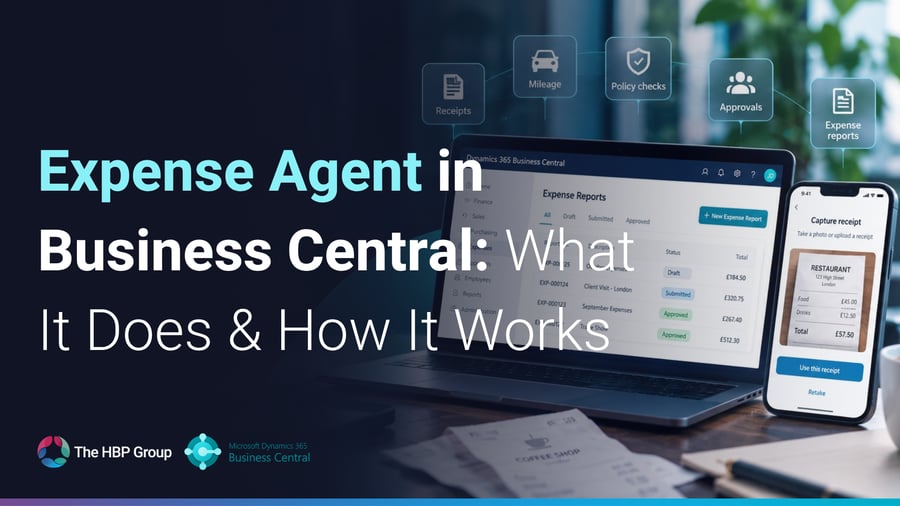
Expense Agent now covers much more of the journey from receipt capture through to approval, including receipt scanning, mileage, expense categorisation, policy checking, approvals and grouping expenses into reports.
So, what can it actually do?
What is the Expense Agent in Business Central?
Expense Agent is Microsoft's AI-assisted expense management capability for Business Central.
Its purpose is to reduce the manual effort involved in recording, reviewing and approving employee expenses.
Rather than asking employees to enter every field manually, the agent can take a receipt and extract information such as the merchant, amount, date and expense category. The employee reviews the information before the expense is saved and submitted.
The wider workflow can also cover:
- receipt intake
- AI data extraction
- expense categorisation
- itemisation
- mileage claims
- expense-report creation
- policy checks
- approval
- posting of approved reports
Microsoft describes this as an automated sequence, while still requiring users to review and validate the information produced by the agent.
That distinction matters.
The Expense Agent is not simply replacing the employee or finance team. It is removing the repetitive data-entry steps and surfacing exceptions for people to review.
How do employees submit expenses?
Employees can submit expenses through the Expense Agent web experience and mobile app.
A receipt can be uploaded as a file or image, or captured from a phone. The agent then processes the receipt and prepares an expense record for review.
The mobile experience is particularly useful because employees can submit an expense at the point it happens rather than saving receipts until the end of the month.
For example, an employee could photograph a receipt immediately after a client lunch, share the image with Expense Agent and allow the system to create the draft expense automatically.
That can make the process easier for the employee and reduce the amount of missing information finance teams have to chase later.
What information does Expense Agent extract from receipts?
When a receipt is uploaded, the agent uses AI to identify key information from the image or file.
This includes details such as:
- merchant name
- amount
- transaction date
- expense category
The user is then asked to review and confirm the extracted information before the expense is finalised.
That review stage is important because AI extraction should still be checked before the information is treated as correct.
For finance teams, however, the benefit is that the user is validating pre-populated information rather than entering each field from scratch.
Can Expense Agent categorise expenses automatically?
Yes.
The agent can classify expenses according to the expense categories configured within Business Central. It can also support itemisation where a receipt contains several different types of cost.
For example, a hotel receipt may include accommodation, meals and other charges.
Rather than treating the full receipt as one generic expense, the agent can help break the transaction into the relevant components.
That becomes particularly useful where different categories are subject to different policies, accounting treatments or approval rules.
Can Expense Agent handle itemised expenses?
Yes.
If an expense category requires itemisation, the amount can be split into separate lines.
Business Central requires those itemised amounts to add back up to the total value of the expense.
This makes the Expense Agent suitable for more than very simple single-line receipts.
It can support expenses where the underlying detail matters for financial reporting or policy compliance.
What about business meals and other participant-based expenses?
Expense Agent can also support categories that require participants.
For example, a business meal may need to record who attended.
Where a category has been configured to require participants, users can add internal or external guests to the expense.
Again, this is important because it moves the functionality beyond simple receipt scanning.
The agent can support some of the real-world information finance teams often need before an expense can be approved.
How does mileage work in Expense Agent?
Mileage is one of the more useful newer capabilities.
Instead of asking employees to calculate the distance and reimbursement amount themselves, Expense Agent can create a mileage expense from the journey details.
The employee enters:
- the starting point
- the destination
- the vehicle type where relevant
The system then calculates route options, determines the distance and calculates the reimbursement amount using the mileage rates configured by the organisation.
If a journey is a same-day return trip, the user can also identify it as a round trip.
This can remove a surprisingly repetitive part of the expense process.
Rather than employees looking up distances, applying the correct rate and entering the final amount manually, Business Central can handle much of the calculation.
Can different mileage rates be used?
Yes.
Business Central can be configured with mileage rates, and newer Expense Agent functionality supports rates that vary according to factors such as the date of the journey and the type of vehicle used.
That is useful for organisations where mileage policy is more complex than a single flat rate.
For example, a business may use different rates for different vehicle types or may need to change reimbursement rates over time.
Business Central can select the appropriate mileage rate based on the expense date, vehicle type and expense currency.
That can reduce the risk of employees using an outdated rate or applying the wrong allowance.
Can Expense Agent support per diem expenses?
Yes.
Business Central can also be configured with per diem allowances for expenses such as meals and lodging.
Where a category is set up as a per diem type, the agent captures details such as the expense location and start and end date and time.
For businesses with frequent travel, that provides another route for standardising expense claims and reducing manual calculations.
How are expenses grouped into reports?
Expense Agent can group individual expenses into expense reports.
For example, employees may have a monthly expense report or a report relating to a specific business trip.
The agent can automatically create reports as new expenses are submitted, and users can also move expenses between reports or add new receipts to an existing draft report.
This gives employees a much more structured way to organise claims.
Rather than sending separate receipts or producing a spreadsheet manually, they can build up a complete report and submit it as a batch.
Can employees check expenses against company policy?
Yes, and this is one of the areas where the Expense Agent becomes particularly interesting.
Business Central can apply deterministic expense rules and can also use AI-assisted policy evaluation against natural-language policies.
That means an organisation can define expense rules and allow the system to highlight where a claim may not comply.
For example, a claim could potentially be flagged because it exceeds an allowed threshold or does not align with the relevant policy.
In standard expense reporting, rule violations can be shown to the user and approver before submission. They do not necessarily block submission, but they make the issue visible so it can be reviewed.
This helps move policy checking earlier in the process.
Rather than finance discovering a problem after the claim has already been submitted, the employee can see potential issues beforehand.
Does Expense Agent handle approvals?
Yes.
Expense Agent includes its own approval process.
When the agent is enabled, approval is handled through the Expense Agent experience rather than through the standard Business Central approval workflow.
Approvers can review submitted expense reports, approve them or send them back with comments.
That gives employees clearer feedback when a claim needs to be amended and helps keep the process within one structured workflow.
Can Expense Agent manage travel requests too?
Business Central now includes travel-request functionality that can work alongside expense management.
Before travelling, an employee can create a request containing information such as:
- purpose of travel
- travellers
- expected dates
- estimated cost
- destination
- whether the travel is international
- travel-policy acknowledgement
Once approved, the travel request can be linked to the later expense report.
Business Central can then compare the actual refundable expense amount with the expected travel cost.
If actual spending exceeds the expected amount, the user receives a notification, although processing can continue.
This is particularly useful because it joins together two processes that are often managed separately:
“Should this trip go ahead?”
and later:
“What did the trip actually cost?”
One important caveat is that, in version 29, travel requests are managed within Business Central rather than through the Expense Agent web or mobile experience.
Can employees use Expense Agent without a Business Central licence?
Microsoft states that expense users can review, edit and submit expenses through the Expense Agent web app without requiring a Business Central licence, provided they are not carrying out processes directly within Business Central itself.
This could be particularly useful for organisations with a wider workforce that needs to submit expenses but does not otherwise need ERP access.
It allows finance teams to bring the expense process into Business Central without necessarily giving every employee full Business Central access.
Licensing should always be reviewed against your specific Microsoft agreement and intended use, but the principle is important: the expense experience can be separated from full ERP access.
What happens after an expense is approved?
Once an expense report has passed the relevant approval process, it can be posted to the general ledger and reimbursement can be processed.
This is where the value of having expense management within Business Central becomes especially clear.
The process isn't ending with an approved spreadsheet that then needs to be keyed back into finance.
The expense is already part of the ERP workflow.
That reduces duplication and helps maintain a clearer link between the employee claim, approval and financial posting.
Can expenses still be managed directly in Business Central?
Yes.
Expense Agent adds the AI-assisted experience, but finance users can still work with expenses inside Business Central.
When Expense Agent is enabled, individual expenses can be created and edited directly within Business Central as well.
Organisations can therefore combine the employee-facing agent experience with the control and visibility finance teams expect inside the ERP system.
What if you don't enable Expense Agent?
Business Central's wider Expense Management functionality can still be used without the agent.
Without Expense Agent, users can still work with:
- expense reports
- mileage
- per diem
- itemisation
- participants
- travel requests
- rule validation
- approval workflows
The key difference is that the process is more manual. There is no AI-powered receipt scanning, automatic extraction or categorisation of individual expenses.
So the question for existing customers isn't necessarily whether Business Central can handle expenses.
It can.
The question is whether enabling Expense Agent could remove enough manual work to make the process easier for employees and finance.
What does Expense Agent mean for finance teams?
The biggest benefit is not that AI can read a receipt.
That is only one part of the process.
The real opportunity is reducing the number of manual steps around employee expenses.
A more traditional process might involve:
- An employee keeps a receipt.
- They enter the details into a spreadsheet.
- They calculate mileage separately.
- They attach evidence.
- They send the claim to a manager.
- The manager checks policy.
- Finance reviews everything again.
- Somebody enters or imports the information into the ERP.
- The claim is posted and reimbursed.
Expense Agent has the potential to compress much of that journey.
Receipts can be captured earlier. Details can be extracted automatically. Mileage can be calculated using configured rates. Policy issues can be surfaced before approval. Reports can be submitted through the same process and approved expenses can move towards posting within Business Central.
That shifts the finance team's role away from repetitive data entry and towards reviewing exceptions and maintaining the rules behind the process.
Is Expense Agent suitable for every organisation?
Not necessarily.
Its value will depend on how your expense process currently works.
It may be particularly worth exploring if your organisation:
- already uses Business Central
- receives a significant number of employee expense claims
- still relies on spreadsheets or email
- spends time checking mileage calculations manually
- regularly chases missing receipts or information
- has clearly defined expense policies
- wants tighter integration between expense claims and finance
- has employees who need to submit expenses but do not otherwise need Business Central access
If your process is very simple and only a handful of expenses are submitted each month, the benefit may be smaller.
But where expense administration is a recurring burden, the newer capabilities make the Expense Agent far more substantial than the basic receipt-capture feature we originally introduced.
Is Expense Agent fully released?
This is an important point.
Microsoft currently describes several areas of Expense Management and Expense Agent as production-ready preview functionality, which means the features are available for production use but remain subject to Microsoft's preview terms and may continue to change.
So if you're an existing Business Central customer, we'd recommend reviewing the functionality in the context of your current version, region and requirements before changing an established expense process.
The pace of development is also worth keeping in mind.
Expense Agent is evolving quickly, which is exactly why revisiting it now makes sense even if you read our earlier introduction.
What should existing Business Central customers do next?
If expenses are still managed largely outside Business Central, start by looking at the current process.
Ask:
How do employees submit receipts today?
How much information do they have to enter manually?
How is mileage calculated?
How are expense policies checked?
How many claims are sent back because information is missing?
How much finance time is spent reviewing and rekeying expenses?
That will tell you where the biggest opportunities are.
You may not need to change everything at once.
For some organisations, the first useful step may simply be mobile receipt capture.
For others, mileage automation could remove a significant amount of manual work.
For businesses with a larger expense process, policy checking, travel requests and agent-driven approvals may be where the real value lies.
Expense Agent is becoming much more than receipt scanning
When we first introduced Expense Agent, it was easy to think of it mainly as an AI tool for capturing receipts.
That description is becoming increasingly incomplete.
The newer functionality brings together receipt capture, AI extraction, mileage calculations, itemisation, participants, policy checks, approvals, travel requests and expense reporting around Business Central.
For existing Business Central customers, that makes it worth another look.
You may already have a finance platform capable of managing much more of the expense process than you're using today.
And for organisations considering Business Central, Expense Agent is another example of how Microsoft is extending AI beyond simple assistance and into end-to-end business processes.
Want to see how Expense Agent could work in your Business Central environment?
If you're already using Business Central and want to understand whether Expense Agent could simplify your current expense process, we can help you review what's available and where it could fit.
The HBP Group can help you explore the current functionality, review your expense rules and mileage requirements, and demonstrate how the agent works alongside Business Central.
Speak to The HBP Group about Expense Agent in Microsoft Dynamics 365 Business Central.



.png?width=100&name=HBP%20Gradient%20Bar%20(210mm).png)

 info@thehbpgroup.co.uk
 01482 423910


.png?width=2484&height=10&name=HBP%20Gradient%20Bar%20(210mm).png)