Less searching, easier reporting and smarter assistance: a practical guide to Version 29.0 for your business.
Microsoft Dynamics 365 Business Central’s 2026 Wave 2 release brings a range of improvements to everyday tasks, financial reporting, sustainability and AI-assisted workflows. Some are small time-savers you can start using straight away; others are designed for finance teams, administrators and organisations with more specialist requirements.
Here, The HBP Group takes you through nine updates worth knowing about, explains who they may help and shows you what to look for in Business Central.
Before you begin: Some features are generally available, some require administrator setup and others are in public preview. What you can see depends on your permissions, environment, region and rollout settings.
1. Return to recent pages faster with Tell Me
Availability: Generally available from October 2026.
If you regularly open the same areas of Business Central, the Tell Me search can now remember up to three of your recent searches. These are personal to your account.
How to use it: Open Tell Me, find Recents and choose a previous search rather than typing it again.
Why it helps: It is a quicker way to revisit familiar pages, such as Sales Orders or Purchase Invoices.
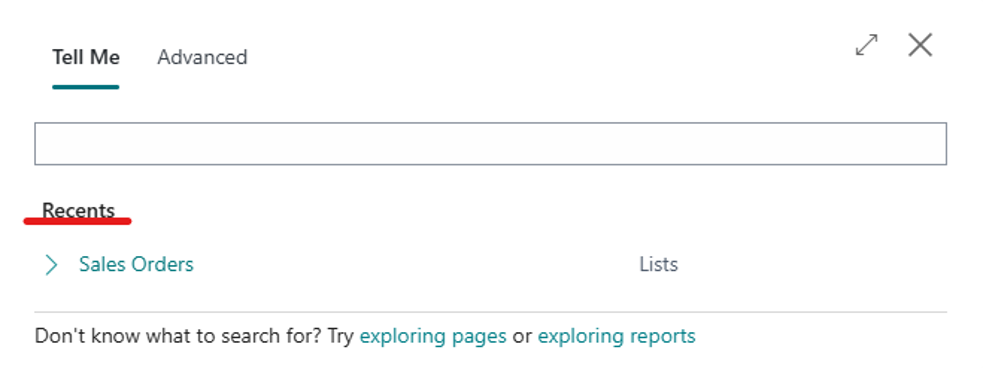 Tell Me displays your recent searches for quick access.
2. Bookmark the views and analysis tabs you rely on
Availability: Generally available from October 2026.
You can bookmark filtered list views and Analysis Mode tabs on your Role Centre, which is the Business Central home screen. This is especially useful when your team repeatedly checks the same list with the same filters.
How to use it: Open your saved view or analysis tab and choose the bookmark action to add a shortcut to your Role Centre.
Why it helps: You spend less time rebuilding filters or searching for the same information.
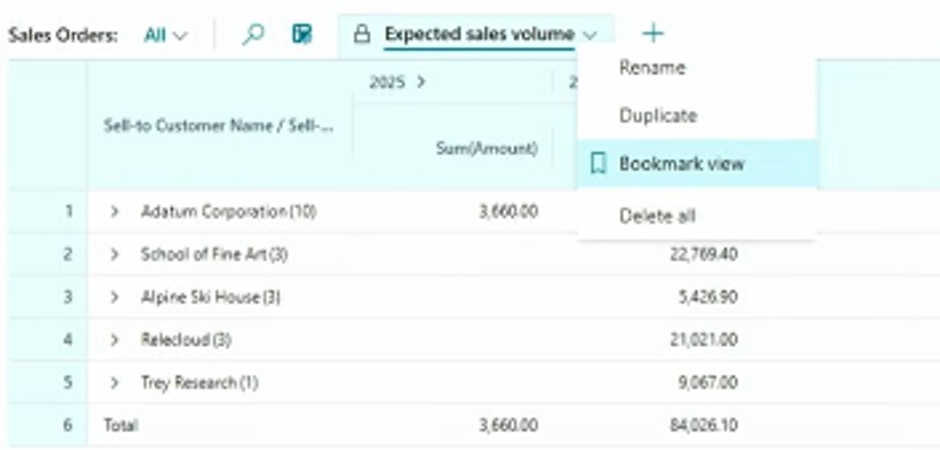
Bookmark an Analysis Mode view to make it easier to return to.
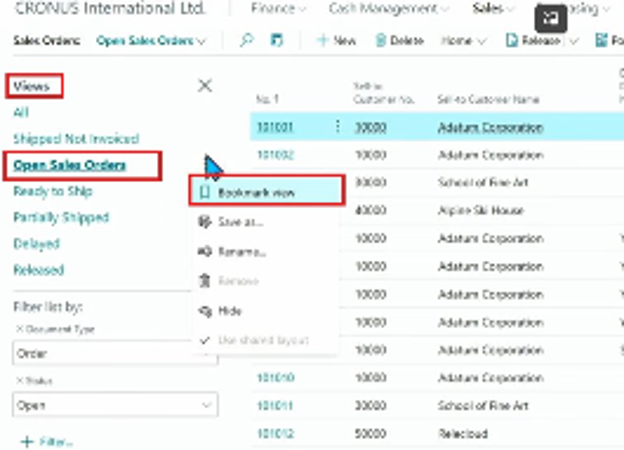
A bookmarked saved list view can be accessed from your Business Central home screen.
3. Keep Word-based reports and documents on-brand
Availability: Generally available from October 2026; administrator setup required.
Report Themes allow businesses to apply consistent branding, headers and footers to Word-based reports and documents, making it easier to maintain a professional, recognisable appearance across layouts.
How to use it: An administrator must first enable the New Document Report Experience. Report designers can then create themes and assign them to Word layouts.
Why it helps: When your branding changes, you can update shared elements with less repetitive work across individual report layouts.
Important: The New Document Report Experience is disabled by default in Version 29.0. This feature is principally for administrators and report designers.
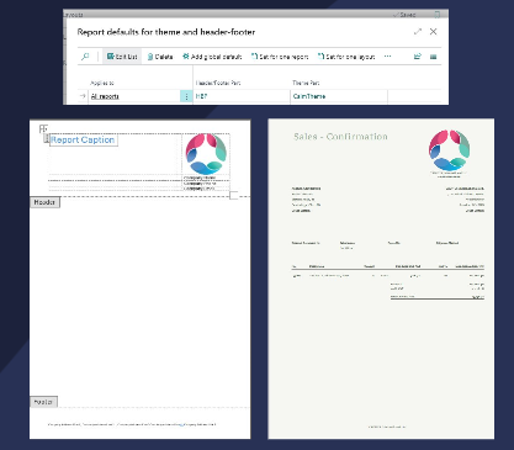
Example of shared report theme settings and Word report layouts.
4. Create a complete financial reporting pack in one PDF
Availability: Generally available from October 2026.
Financial Report Packages bring multiple existing financial reports together in a single PDF. For finance teams producing monthly management accounts, this can make reports easier to prepare, distribute and keep consistent.
How to use it: Search for Financial Report Packages in Business Central, choose the reports and reporting criteria you need, and generate your pack.
Why it helps: Instead of preparing and circulating several separate files, you can provide one consolidated reporting pack. Packages can also be scheduled for recurring delivery.

Use Tell Me to find Financial Report Packages.
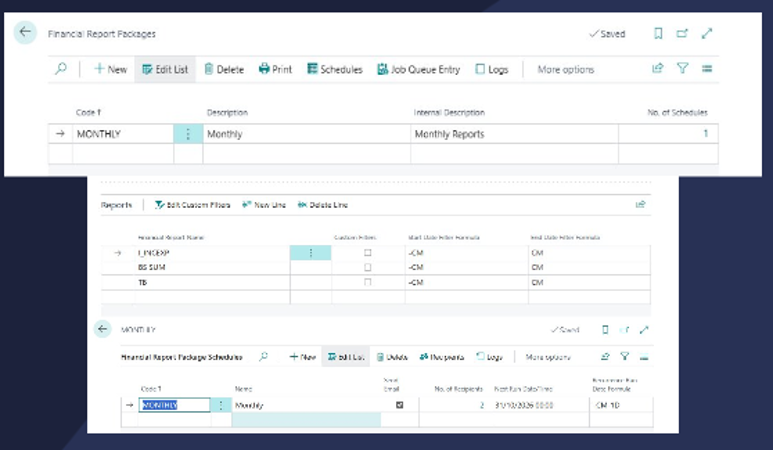
Set up a financial report package and its schedule.
5. More flexibility for plastic tax and excise calculations
Availability: Core plastic and sugar tax calculations have been generally available since July 2026. Assigning multiple excise tax types to a single item is in public preview.
Business Central has tools to configure relevant excise tax calculations. Version 29 adds a preview capability for associating multiple excise tax types with one item, which may help organisations handling more complex product tax scenarios.
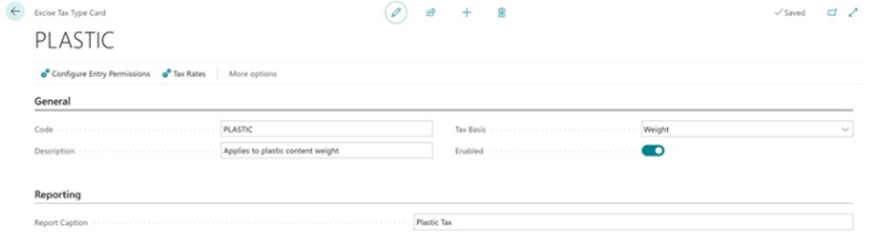
Example excise tax configuration in Business Central.

Multiple excise tax types, including plastic and sugar tax, shown together.
6. Capture sustainability information in more everyday processes
Availability: Version 29 enhancements generally available from October 2026.
If your organisation monitors its environmental impact, Business Central provides more places to capture or calculate carbon-related information as part of routine work:
- Fixed assets: Record carbon-footprint information for equipment and other assets.
- Item journals: Add sustainability information to item and reclassification journals.
- Purchase documents: Calculate emissions using formulas configured for your organisation.
- Service management: Estimate emissions on relevant service orders.
These improvements are particularly relevant for organisations already measuring and reporting on emissions, as they make sustainability information available across more operational processes.
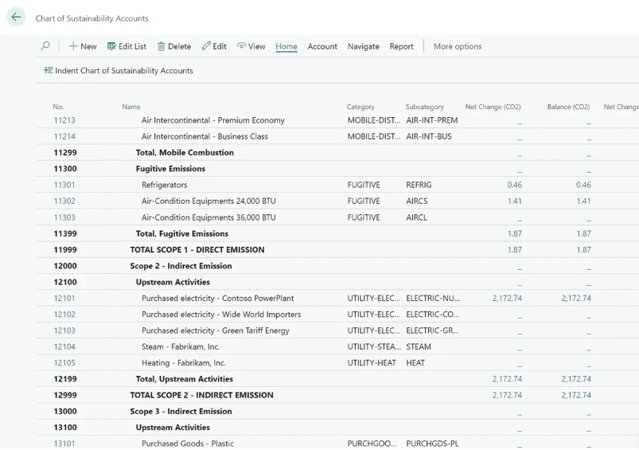
A sustainability ledger view showing emissions-related entries.
Availability: Production-ready public preview as of October 2026.
Copilot Chat can help users find information, understand Business Central data and navigate unfamiliar areas of the system. It operates within each user’s existing permissions.
This could be useful when you need assistance understanding where to find information, rather than manually navigating through unfamiliar menus.
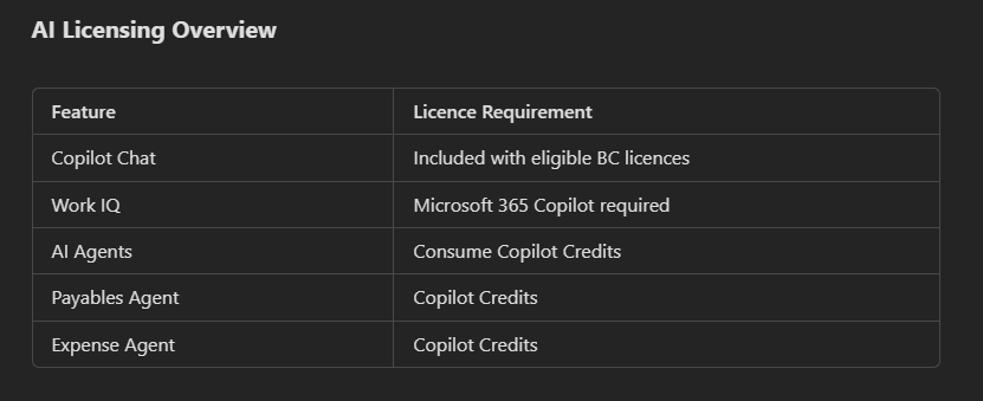
AI licensing overview, including capabilities that may require separate licences or credits.
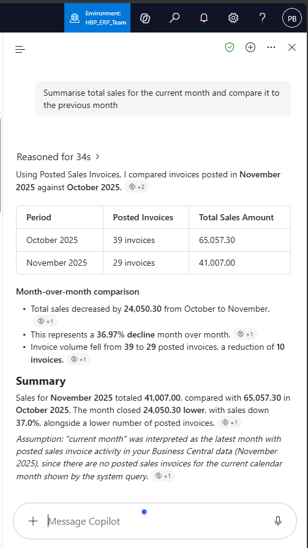
Example of the Copilot Chat experience inside Business Central.
8. Reduce manual supplier invoice entry with the Payables Agent
Availability: Core Payables Agent and Version 29 purchase-order matching improvements generally available.
The Payables Agent can monitor a configured mailbox for supplier invoice PDFs, extract invoice details, identify suppliers, suggest matching purchase orders and prepare draft purchase invoices.
Crucially, your finance team remains in control: people review the suggestions, resolve discrepancies and complete your normal approval and posting process.
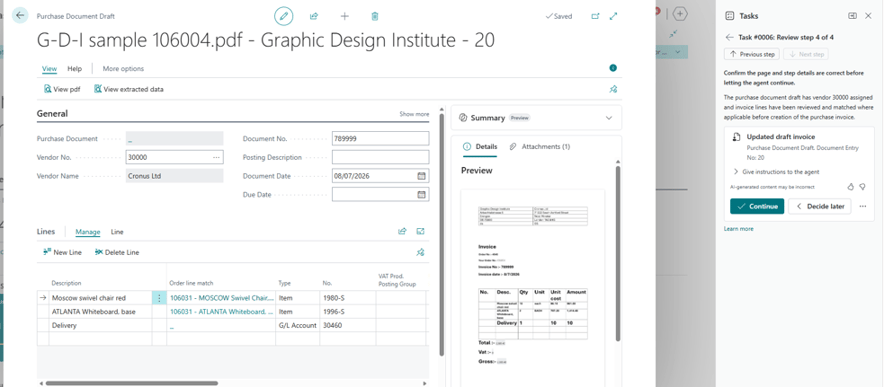
Payables Agent example showing invoice details, document preview and a suggested action.
9. Make it easier for employees to submit expenses
Availability: Production-ready public preview, including Version 29 enhancements.
The Expense Agent allows employees to submit expenses through a dedicated web or mobile experience or through a configured email mailbox. This gives teams more convenient ways to start the expense process.
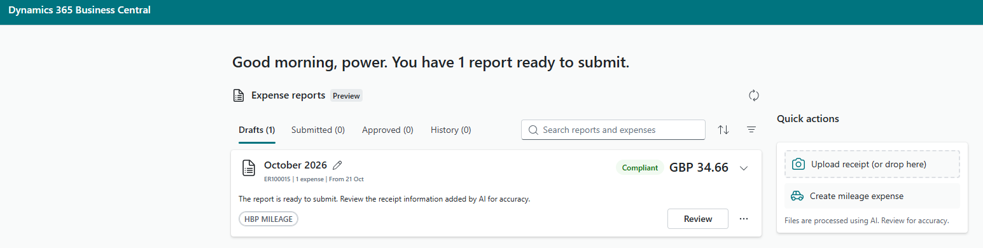
Example employee expense-submission experience.
A note on Copilot and AI licensing
Some Copilot functions are included with eligible Business Central licences. However, advanced capabilities may require a separate Microsoft 365 Copilot licence, and agents such as the Payables Agent and Expense Agent use Copilot Credits, which can result in additional usage-based costs.
We recommend checking with The HBP Group before enabling these features so that you understand availability, licensing and any potential additional charges.
Where should your team start?
- Repeatedly searching for pages? Try Tell Me Recents.
- Reapplying the same filters? Bookmark saved views and analysis tabs.
- Preparing monthly management accounts? Look at Financial Report Packages.
- Managing document branding? Ask your administrator about Report Themes.
- Processing supplier invoices? Explore the Payables Agent.
- Tracking emissions or excise tax? Review the sustainability and excise features.
See Business Central’s new features in action with The HBP Group
As part of our onsite visits, customers with HBP Smartcare Support will receive a demonstration of the new AI Agents available in Microsoft Dynamics 365 Business Central. It is an opportunity to see how these capabilities work and where they may help streamline everyday processes.
Would you like more information, help checking whether a feature is available in your environment or a separate demonstration? If you're an existing customer contact your account manager, if not, feel free to reach out below.

Further reading
Microsoft Version 29 release notes: What's New or Changed in Business Central 2026 release wave 2 - Update 29.0 - Business Central | Microsoft Learn
Business Central capability guide: Business-Central-Capability-Guide-2026_rw1.pdf




 info@thehbpgroup.co.uk
 01482 423910