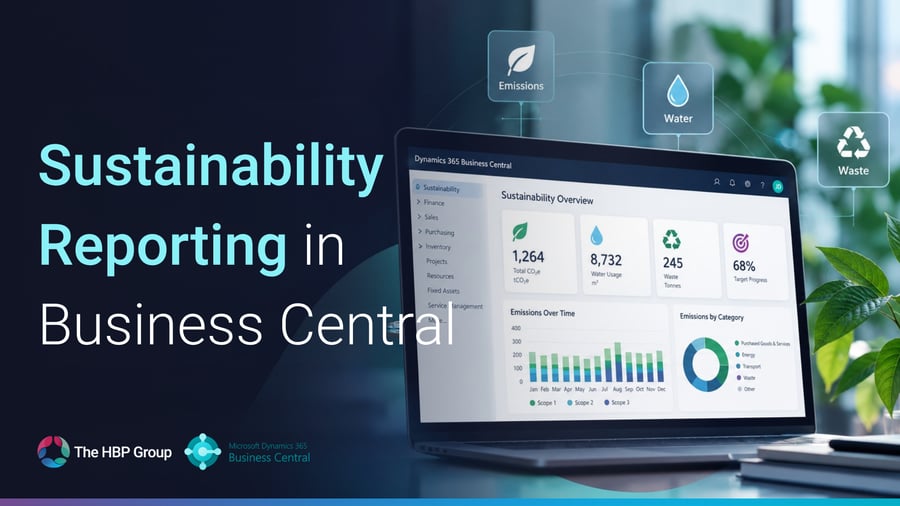
If you already use Microsoft Dynamics 365 Business Central, you may have more sustainability functionality available to you than you realise.
Microsoft has continued to expand Sustainability Management within Business Central, giving organisations new ways to capture, calculate and report environmental information without necessarily introducing a separate sustainability system.
For many businesses, that could be useful right now.
You may already be receiving requests for emissions data from customers. Your supply chain may be asking for more environmental information. Or perhaps sustainability is simply becoming a bigger part of internal reporting.
Either way, before reaching for another spreadsheet or another system, it is worth understanding what Business Central can already do.
Does Business Central have sustainability reporting?
Yes.
Business Central includes dedicated Sustainability Management functionality designed to help organisations capture and report environmental data alongside the financial and operational information they already hold.
At the heart of this is the Chart of Sustainability Accounts.
It works in a similar way to a traditional Chart of Accounts, but rather than organising financial transactions, it provides a structure for sustainability-related information such as emissions, water and waste.
The Sustainability Ledger then stores posted sustainability transactions, giving organisations a consistent record that can be used for reporting and analysis. Microsoft Learn
That means sustainability information can become part of your wider Business Central environment rather than sitting separately in spreadsheets.
What sustainability data can Business Central track?
Business Central can be used to manage a growing range of environmental information.
This includes:
- greenhouse gas emissions
- CO2e calculations
- water usage
- waste
- carbon credits
- emissions by scope
- environmental data by facility or location
- sustainability categories and subcategories
- baselines and targets
Microsoft has also continued adding new ways to capture sustainability data, including sustainability journals, purchase documents, formulas and external emission factors. Microsoft Learn
For existing Business Central users, the interesting question is therefore not just:
“Can Business Central support sustainability reporting?”
It is:
“How much of this functionality do we already have access to but aren't currently using?”
5 sustainability features Business Central users may not realise they already have
1. Sustainability accounts and a dedicated ledger
One of the biggest advantages of managing sustainability data inside Business Central is structure.
Rather than keeping environmental information in isolated spreadsheets, businesses can define sustainability accounts, categories and subcategories in much the same way they would structure financial information.
Once transactions are posted, they are stored within the Sustainability Ledger and can then feed Business Central reporting.
This creates a much stronger audit trail and a more consistent way to manage the information over time. Microsoft Learn
2. Emissions calculations
Business Central can help organisations calculate emissions rather than simply storing figures produced elsewhere.
Sustainability journals and purchase documents can use formulas and emission factors to calculate environmental impact.
Microsoft has continued developing this area. In Business Central 2026 release wave 2, for example, formula-based inputs and emission factors can be used to calculate CO2, CH4 and N2O emissions within purchase documents. Microsoft Learn
For businesses that currently calculate emissions manually in spreadsheets, this can help create a more repeatable process.
3. Built-in sustainability reports
Business Central includes dedicated sustainability reports that allow users to analyse the information held in the Sustainability Ledger.
Examples include:
Total Emissions
A view of greenhouse gas emissions across different scopes and sustainability accounts.
Emissions Per Facility
A breakdown of emissions by facility or responsibility centre.
Emissions By Category
A view of emissions by sustainability category.
These reports allow users to move from simply capturing data to understanding where environmental impact is actually coming from. Microsoft Learn
4. Power BI sustainability dashboards
Business Central also includes a dedicated Sustainability Power BI app.
This gives users access to more visual reporting and dashboards covering areas such as emissions, water and waste.
The Sustainability Overview report provides a high-level view of key sustainability measures including CO2, CH4, N2O, water and waste performance. Microsoft Learn
There are also more focused reports for areas such as carbon performance, including Microsoft's Journey to Net Zero Carbon dashboard. Microsoft Learn
For customers already using Power BI elsewhere in the business, this provides another opportunity to bring sustainability information into the same reporting environment.
5. Baselines, targets and sustainability KPIs
Sustainability reporting becomes much more useful when you can compare performance against a target.
Business Central supports sustainability baselines, targets, scorecards and goal-management functionality, allowing organisations to monitor whether they are moving towards or away from agreed objectives. Microsoft Learn
That can make sustainability reporting much more proactive.
Instead of simply reporting what happened at the end of the year, businesses can monitor progress as activity takes place.
What sustainability reports are available in Power BI?
Microsoft's Sustainability Power BI app provides several different views depending on what a business wants to understand.
Sustainability Overview
This gives executives and sustainability managers a high-level view of emissions, water and waste performance.
Data can be analysed by category, scope and month, allowing users to understand overall progress and identify areas that may need closer attention. Microsoft Learn
Journey to Net Zero Carbon
This report focuses more specifically on carbon performance.
It includes measures such as:
- CO2e emissions
- emissions excluding carbon credits
- purchased carbon credits
- CO2 emissions
It can also be used to compare emissions over time and monitor progress towards carbon-reduction goals. Microsoft Learn
Water and Waste Analysis
Business Central can also report on water and waste rather than focusing only on carbon.
The Water and Waste Analysis report allows organisations to analyse usage and capacity by facility and location, as well as compare performance year on year and day on day. Microsoft Learn
This may be particularly useful for organisations operating across multiple sites, warehouses, factories or other facilities.
Can Business Central help identify what is driving emissions?
Yes.
The Power BI Sustainability app includes reporting designed to help organisations understand the underlying factors influencing emissions.
For example, the CO2e Key Influences report uses Power BI analysis to highlight factors contributing to changes in CO2e performance. Microsoft Learn
This moves the conversation beyond:
“What are our emissions?”
towards:
“What is causing them, and where could we take action?”
That is potentially much more valuable for management teams.
Business Central sustainability functionality is becoming more operational
One of the most significant developments is that Microsoft is increasingly connecting sustainability data with everyday Business Central transactions.
Rather than sustainability being a completely separate area of the system, carbon information can now begin to follow the activity that creates it.
Business Central 2026 release wave 2 includes sustainability enhancements for:
- fixed assets
- item journals
- item reclassification journals
- Service Management
- purchase documents
For example, carbon footprint information can be tracked against fixed asset transactions, while item journal entries can carry CO2e information through inventory movements.
Service Management can also estimate carbon footprint information using sustainability data associated with items and resources. Microsoft Learn
This is an important shift.
It means sustainability reporting can increasingly be connected to normal operational processes rather than being reconstructed after the event.
Can Business Central show carbon information to customers?
Yes.
Microsoft has introduced sales document layouts that can display carbon footprint information. Microsoft Learn
That could be particularly useful for organisations whose customers are increasingly asking for environmental information about the products or services they purchase.
For some businesses, sustainability data may therefore become useful not just for internal reporting but also for customer and supply-chain communication.
Can Business Central sustainability data connect to other systems?
Yes.
Microsoft has introduced sustainability APIs designed to make integration easier. These became generally available during 2026 release wave 1. Microsoft Learn
This matters because larger organisations may need sustainability information to feed into:
- wider group reporting
- external ESG platforms
- Microsoft Fabric
- data warehouses
- other business intelligence systems
Business Central does not necessarily have to be the final destination for the data.
Instead, it can form part of a wider sustainability reporting architecture.
Why should existing Business Central customers look at this now?
For many organisations, sustainability reporting starts in Excel.
That can work perfectly well at first.
But as the volume of data grows, so does the complexity.
Different departments may use different calculation methods. Historic figures may become difficult to trace. Data may sit in several versions of the same spreadsheet. Every reporting period can involve another round of collecting, checking and consolidating information.
If you already use Business Central, it may be worth asking whether some of that process could instead be brought into the ERP system you already rely on.
That does not necessarily mean launching a major sustainability project.
A much more sensible starting point may simply be identifying:
What information are we already being asked for?
Where does that data currently come from?
Could Business Central capture or calculate any of it?
Which reports would actually be useful to management?
Are we already licensed for functionality we're not taking advantage of?
Those questions are often much more practical than starting with regulation or sustainability strategy.
Is Business Central suitable for sustainability reporting?
For many organisations, Business Central can provide a useful foundation.
It already holds much of the operational information that sustainability reporting may ultimately depend on, and Microsoft's Sustainability Management functionality provides a structure for capturing and analysing environmental data around it.
It may be particularly worth exploring if you are:
- already using Business Central
- still managing sustainability information primarily in spreadsheets
- being asked for emissions data by customers or suppliers
- tracking internal carbon-reduction targets
- operating across multiple facilities or locations
- beginning to formalise your sustainability reporting
- looking for greater consistency in how environmental information is captured
The important point is that you may not need to start from scratch.
Some of the tools you need may already be sitting inside your existing Business Central environment.
What should Business Central customers do next?
The best starting point is usually not to enable every sustainability feature available.
Instead, begin with the business requirement.
Identify the sustainability information your organisation actually needs today and the information you are likely to need in future.
Then look at what Business Central can already support.
For one organisation, that may simply mean introducing emissions reporting.
For another, it may involve Power BI dashboards across multiple sites.
For another, it could mean beginning to capture sustainability data against purchasing, inventory or service activity.
The right approach will depend on how mature your current reporting is and what customers, suppliers or other stakeholders are asking from you.
You may already have more sustainability functionality than you think
Microsoft has expanded Sustainability Management considerably over the last few Business Central releases.
What may once have looked like a relatively specialist part of the product now covers data capture, emissions calculations, sustainability ledgers, Power BI dashboards, water and waste analysis, targets, carbon tracking and integration with wider systems. Microsoft Learn
For existing Business Central customers, that creates a useful opportunity.
Before investing in another system or another manual reporting process, it may be worth reviewing what is already available within the platform you use today.
And for organisations considering Business Central, it also demonstrates how the platform is continuing to expand beyond traditional finance and ERP reporting.
Find out what sustainability functionality is available in your Business Central environment
If sustainability reporting is becoming more important to your organisation, we can help you understand what functionality is already available within Business Central and how it could fit around your existing processes.
The HBP Group can help you review your current setup, identify the sustainability data that matters most and explore whether Business Central can support more of your reporting requirements.
Speak to The HBP Group about Sustainability Management in Microsoft Dynamics 365 Business Central.



.png?width=100&name=HBP%20Gradient%20Bar%20(210mm).png)

 info@thehbpgroup.co.uk
 01482 423910


.png?width=2484&height=10&name=HBP%20Gradient%20Bar%20(210mm).png)